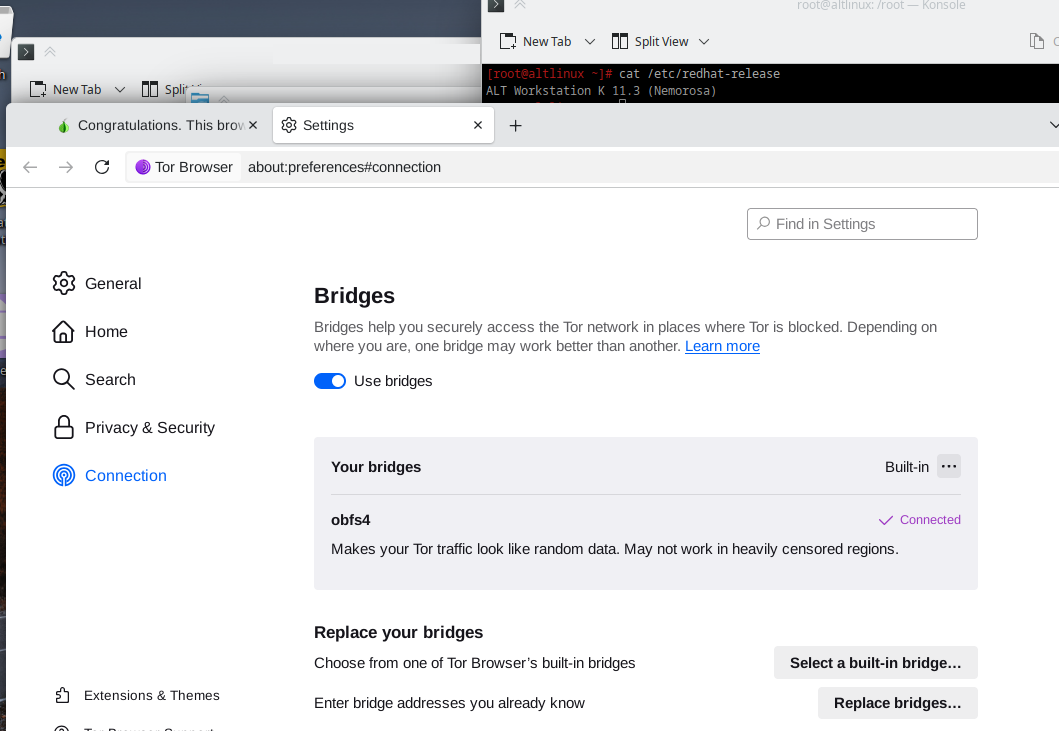
My Tor Browser starts but can’t connect using obfs4 bridge. In logs I can see messages like:
[WARN] Managed proxy “./TorBrowser/Tor/PluggableTransp” having PID 42206 terminated with status code 1
If I use Snowflake bridge, it connects but it takes a long time and after connection it works very slow.
Tor Browser on other platforms (Windows, MacOS) with the same physical connection works Ok with obfs4 bridges.
Please help me use Tor Browser with the Alt Linux distribution.
Hi. I tried installing ALT Linux Workstation K 11 but can’t reproduce this.
Obfs4 bridges worked just fine on my VM with either ALT Linux Workstation K 11.2 or 11.3 .
I’m trying to connect from Russia. But I have an old MacBook (MacOS v 10.14, TorBrowser v 13.5.27) and it connects to obsf4 using the same physical Internet connection. Also I had a Windows computer (I don’t remember TorBrowser version) and it also could connect to obsf4.
There is something going on with the folder name, it should be “./TorBrowser/Tor/PluggableTransports”. Have you installed Tor Browser on the Desk Top? I would recommend reinstalling
That’s correct - this folder is indeed for pluggable transports, however from your logs - the folder name there doesn’t match the one with the transports. So I advice to re-install Tor Browser
My guess would be it being the result of folder path being truncated because it’s too long.
Since the problem has been solved by reinstall it’s clearly not the case.
By that I originally mean programs like employee device management solutions and/or state-sponsored mass surveillance programs that search for processes related to censorship circumvention. ALT Linux made me recall some OS independently developed in nation and since they’re most likely used among gov agency computers I suspected there might be such surveillance/endpoint management programs.