1.在内置搜索引擎中添加Brave及其.onion版本
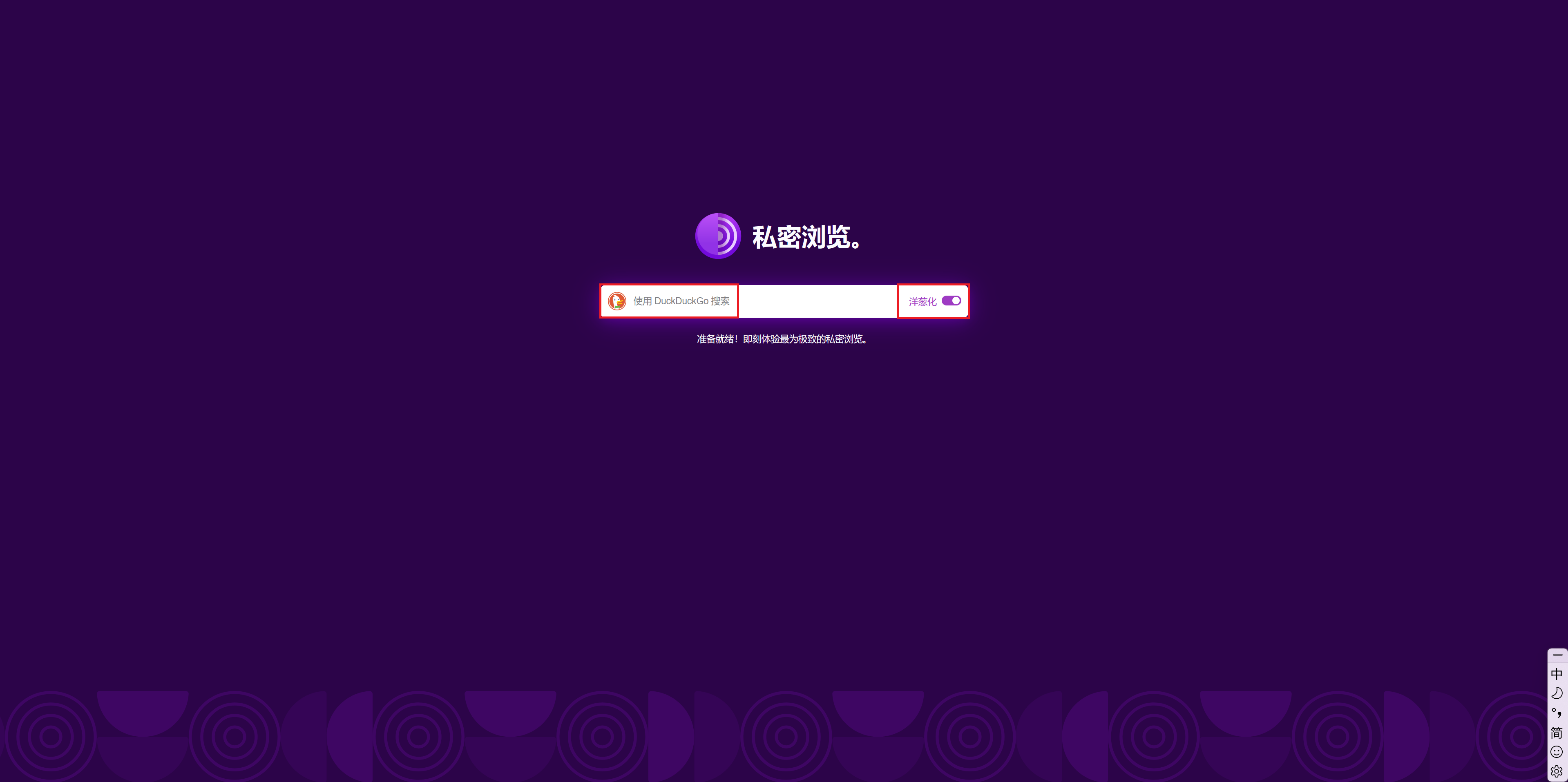
2.Tor浏览器主页搜索框可更换使用的搜索引擎或跟随默认搜索引擎而改变【且若用户选择.onion版本的默认搜索引擎时,Tor浏览器主页搜索框的“洋葱化(Onionize)”选项自动开启】
3.修改并发布Tor Browser时保留新版Firefox的本地翻译功能
4.像No Script那样内置uBlock Origin用于拦截广告与某些不会被No Script内容
您已经可以在 Tor 浏览器设置中将主页更改为“自定义 URL”,这意味着您可以将其设置为您选择的搜索引擎。不同之处在于,它将加载搜索引擎的主页,而不是带有搜索栏的 Tor 浏览器主页。 Tor 浏览器主页可以由 Tor 开发人员修改,您可以在 Tor 项目的 GitLab 上创建一个帐户,并在正确的存储库(例如 Tor 浏览器)中创建一个“问题”,其开发人员将在那里回复您的问题。 您可以检查您要提及的主题是否已存在问题。
由于隐私问题,Tor 浏览器目前不包含 uBlock,而且 Tor 项目不建议安装扩展,因为这会让你指出,如果你接受风险,你可以通过访问 https://addons.mozilla.org/zh-CN/firefox/addon/ublock-origin/ 并在那里找到它来手动安装 uBlock。
是的,我翻译了这个…
在内置搜索引擎中添加Brave及其.onion版本
Tor浏览器主页搜索框可更换使用的搜索引擎或跟随默认搜索引擎而改变【且若用户选择.onion版本的默认搜索引擎时,Tor浏览器主页搜索框的“洋葱化(Onionize)”选项自动开启】
建议投递相关的建议给 Tor Project 的 Anon-Ticket (匿名工单)系统:
您需要创建一个登录凭据,然后在对应的项目(The Tor Project/Applications/Tor Browser)下提议。
修改并发布Tor Browser时保留新版Firefox的本地翻译功能
目前 Tor Project 尚未完成对此功能是否适合添加到 Tor 浏览器的评估。但考虑到使用此功能翻译网页可导致(JavaScript启用时)网页了解到使用者翻译到的语言,这个功能可能不会被最终采纳于 Tor 浏览器中。
像No Script那样内置uBlock Origin用于拦截广告与某些不会被No Script内容
I apologize for any inconvenience this may cause, so I will be replying in English here. If English is not your native language, please let me know and I will reply in your native language later.
I prefer using Tor browser’s default homepage rather than a custom URL to improve startup speed, because using a third-party homepage could results in slower loading due to the three relays from the Tor network. Furthermore, I believe that privacy-conscious search engines like Brave should be officially included in the Tor browser to provide users with more options, rather than only offering DuckDuckGo and Startpage—even privacy-conscious search engines should not be suspected of monopolistic practices.
Regarding Firefox’s Translate feature, since it uses a small model loaded locally for translation, the data is not sent to Mozilla, the Tor Project, or anyone else, so I believe it is secure and private enough, and it’s valuable enough to keep to help each user. Also, because this feature was later fully integrated into the Firefox browser, the plugin version was discontinued in 2023, resulting in insufficient language support and inability to meet normal usage needs. Furthermore, to my knowledge, some translation plugins in the Firefox extension store do not work well on the Tor browser because these plugins request data from cloud servers such as Google and Microsoft Bing. The three relays and forwardings by the Tor network cause this process to take a considerable amount of time, and may even prevent plugins such as the well-known “Immersive Translation” from providing translations.
I made this suggestion because I trust uBlock Origin enough, and the default DuckDuckGo engine contains ads. Since each user uses a different list of rules with specific flags, why not enable all rules by default for each user?
Finally, since it seems that registering a GitLab account requires payment, and I currently only have a GitHub account, I may not be able to submit issues on GitLab.
Well, some stuff may be left out because of translation software. Thanks!
By the way, because the posts on this forum are first checked by a moderator, they are delayed, so @Aminosserdiar, please check @Lind’s post. Thanks for explaining stuff in more detail, @Lind!
The Tor anon ticket system is something I completely forgot about, you can use it instead of creating a GitLab account on the Tor Project’s Gitlab instance.
No, the Tor Project maintains it’s own GitLab instance of GitLab at gitlab.torproject.org (it has an onion address), it’s separate from gitlab.com though. (the instance) You can request a GitLab account on the anonticket site. Or as mentioned you can create an identifier in anonticket, it lets you create an issue anonymously using your identifier. When you have an account, everything is tied to “that account identity”, and you can access more repositories (for creating issues, in example) using an account.
You can search all the Tor Browser issues at this link.
(or use the onion service of the instance)
I don’t disagree, I listed those options as ways through which you can use Brave easier currently.
On one side they can include a few more providers such as Brave, on the other one they can do that and let users set a custom search engine, but the latter might make some users stand out too much, because imagine if 30% of Tor users set it to their preferred search engine instance. (such as SearX).
I think @Lind discussed the risks with adding the Firefox translation feature. It is indeed put back for some time, but if implementing it doesn’t worsen privacy, I think it’d be a very cool feature to have!
Adding extensions to the Tor Browser adds more risks, so be cautious.
That supposes shipping uBlock by default for all Tor Browser users. Tails currently ships with uBlock. (in the Tor Browser)
Well, enabling all the set of rules might break a lot more stuff, then disabling a specific filter (because it breaks something for you) would, once again make you stand out…
At least having uBlock for everyone might work. The developers are the ones deciding that, so you can track that issue on the same GitLab instance.
For now I think you can use the “Safest” mode and whitelisting the main sites/cdns while not allowing ads/metrics/trackers, but some stuff is still broken in the “Safest” mode even with javascript on and NoScript requires a lot of tuning.
For sensitive stuff you can use Whonix, you can install it on most OSs, but it’s much more secure to use it in Qubes OS, there you can open “temporary” qubes that get wiped after you shut them down. In such a “cube” you can use the Tor Browser in it’s Standard Security Level without getting malware on your root OS. (nothing is fool-proof, but at least it lowers that risk dramatically) But that won’t get rid of ads unfortunately, but you won’t “stand out” then, if you don’t manually install uBlock there.
For anonymous stuff there is Tails. (it doesn’t use Whonix, but rather runs as a Live system)
不好意思打扰一下,我不推荐使用你说的“沉浸式翻译”插件。他们之前发生过很多争议事件,比较严重的有泄漏用户数据和开源转闭源等行为,且开发者从未就用户数据泄漏的问题道歉过,并尝试推卸责任给用户。
Sorry to interrupt, I do not recommend using the “Immersive translation” extension you mentioned. They have had several serious controversies in the past, including user data leak due to insufficient security control, and switching from FOSS to closed-source proprietary license. Also the developer have never apologized for the data leak incident, and tried to blame the users for using “generate website snapshot” feature.
这不是你信任 uBO 与否的问题:在 Tor 浏览器内使用 uBO 可能导致你无法获得最佳的匿名化效果,也就是说网站可以通过你的浏览器特征(“浏览器指纹”)认出你这个特定的 Tor 浏览器用户。为了避免这种情况发生, Tor Project 是不推荐在 Tor 浏览器内安装任何非自带的插件的。
It’s not the problem whether you trust uBlock Origin or not: using uBlock Origin (or any other adblocker) in Tor Browser may result in you not being able to achieve the best anonymizing effect Tor Browser can give, that is, websites can recognize you - this specific Tor Browser user - with your slightly different browser characteristics (browser fingerprinting). To avoid this outcome, Tor Project officially discourages manually installing any not-preinstalled-extensions in Tor Browser.
但是既然你都在 Tor 浏览器里安装翻译插件了,那大概对你来说 Tor 浏览器可能只是另一个规避国家互联网审查的方法(即“梯子”)?如果确实是这样,而且你确实不在乎被网站认出来的话,也行吧。
But… since you’re already installing translation extensions in Tor Browser, maybe Tor Browser is “just another way to evade state-level Internet censorship” to you? If so, and you indeed don’t care about being recognized by websites, it’s probably fine for your threat model to install ad blocking extensions in Tor Browser anyway.
Exactly, your threat model is something to consider.
Some might use Tor for accessing blocked sites that wouldn’t pose a threat to them in the future. (so they install uBlock plus a few more addons to optimize their setup better because they don’t care if they “stand out”, i.e.)
Others want to be more private on the net.
感谢解答,不过你说的没错,我事实上尚还无需用Tor这种最极致的方式保护自己的隐私——我只是一位想研究Tor和暗网机制的学生,不是每天都有面临政治迫害风险的角色
我已经把沉浸式翻译换成了TWP
另外,我认为Tor官方完全可以为其浏览器产品内置uBO插件并启用流行规则,这也可以让每个用户看起来都一样;至于翻译功能的潜在风险,我记得NoScript默认是会拦截JS的(之前我还有过由于NS的拦截导致Firefox Relay页面一片空白的经历),只有添加信任的网站才会启用;还有搜索引擎,由于还有例如Brave Browser等其它支持连接Tor的浏览器存在,而这些浏览器并不会劝阻用户更换默认搜索引擎,因此或许只有Tor Browser不建议修改搜索引擎并不足够
最后,总而言之,我认为让每个用户看起来一样并不一定必须要阻止用户进行个性化设置,而是尽力阻止网站运营者获取用户的这些自定义内容并用于追踪和用户画像,所以或许也可以从数据传输方面下手,让网站只能知道自己被哪个搜索引擎的爬虫获取、访问用户来自Tor和这个用户请求了哪些内容,除此以外一概不知——当然,要实现这个的难度或许会很大,但也并非完全不可能
Thanks for the answer, but you’re right. I don’t actually need to use Tor, such an extreme method, to protect my privacy yet—I’m just a student wanting to study Tor and the dark web mechanism, not someone facing political persecution every day.
I’ve already switched from immersive translation to TWP.
Furthermore, I think the Tor team could easily integrate the uBO plugin into their browser products and enable popular rules, which would make it look the same for every user. As for the potential risks of the translation function, I remember NoScript blocks JavaScript by default (I’ve had an experience where Firefox Relay pages were completely blank due to NS blocking), and it only enables it on trusted websites. Regarding search engines, since there are other browsers that support Tor, such as Brave Browser, and these browsers don’t discourage users from changing their default search engine, perhaps only Tor… The browser’s discouragement of modifying search engines is not enough.
Finally, to sum it up, I believe that making every user appear the same doesn’t necessarily require preventing users from personalizing their settings. Instead, it’s about preventing website operators from accessing these custom settings for tracking and user profiling. Therefore, perhaps we could start with data transmission, ensuring the website only knows which search engine crawler accessed its site, that the user’s visit originated from Tor, and what content that user requested—nothing more. Of course, achieving this would be very difficult, but not entirely impossible.
You’re right. The users of the Tor network aren’t just those who need extreme privacy protection; they could also be researchers or professionals in cybersecurity and related fields, hackers, students, anyone curious about the Tor network, or even simply using it as an alternative to a VPN for accessing the international internet.
You’re right. The users of the Tor network aren’t just those who need
extreme privacy protection; they could also be researchers or
professionals in cybersecurity and related fields, hackers, students,
anyone curious about the Tor network
I simply like using tor for ssh access to my computers. Tor is a nice
networking tool for me. It allows me to reach my devices at home via
ssh, behind the CGNAT, and giving me end to end encryption security and
connection anonymity while doing so.
我明白了 
是的。 Tails 就是为了减少网站通过 uBO 分辨用户的可能性对 uBO 作出了特殊的配置(如默认关闭拦截列表自动更新,所以所有同样版本号的 Tails 的拦截列表都是同样的)。不过 Tails 只是 Tor Project 下属的一个子项目, Tor Project 本身对是否应当在浏览器内包含 uBO 目前并无结论。
Yes. Tails, for example, specifically configured uBO (like disable automatic filter list upgrade, so all Tails installation of the same version shares the same filter lists) to make it harder for websites to fingerprint users with uBO as a fingerprinting vector. But Tails is only a project under the Tor Project, Tor Project itself have not come to a conclusion on whether to preinstall uBO into Tor Browser yet.
新安装的官方版本的 NoScript 刚安装时会显示几种模式,不过是的,一直以来 NoScript 是默认拦截 JS 脚本的(除非特别设置)。
不过 Tor 浏览器会预装 NoScript ,是因为 Tor 浏览器通过 NoScript 实现“安全级别”的功能。当你修改 Tor 浏览器的安全级别(“标准”、“较安全”、“最安全”)时, Tor 浏览器配置 NoScript 启用/禁用相关浏览器功能。所以虽然 Tor 浏览器内置了 NoScript ,但它在界面上是不可见的,不同于平时在 Firefox 上安装 NoScript 的效果。这是因为在 Tor 浏览器内修改 NoScript 的配置对于追求匿名性的用户而言是很危险的。 Tor 浏览器的默认设置应该让 Tor 浏览器重启时忘记所有之前记录的浏览器数据,而如果修改过的 NoScript 配置被保存了,那就会导致这个 Tor 浏览器的指纹变得特殊,从而可以被网站识别。
还有, JavaScript 在安全级别设置为“最安全”时才会被禁用,因为现在的绝大多数网站都依赖 JavaScript 工作(包括这个论坛),禁用 JavaScript 常常会导致整个网页出现严重的问题(包括完全白屏)。所以如果我没猜错,大多数使用 Tor 浏览器的情况下, Tor 浏览器都不会被设置在“最安全”(即拦截 JavaScript)的安全级别下。因此,虽然禁用 JavaScript 确实可以防止网页发现你在翻译,但如果你可以加载出网页的话,大概率你已经开启 JavaScript 了(除非你把网页保存成静态 html 文件然后打开再翻译)。
Newly installed official NoScript versions would let users choose between several modes, but yes, NoScript has been blocking JS by default for a long time (unless otherwise configured).
But the reason Tor browser has NoScript preinstalled, is that Tor browser uses NoScript to achieve its “security level” feature. When you modify Tor browser’s security level (“Standard”, “Safer” and “Safest”), Tor browser configures NoScript to enable/disable certain browser features. So though NoScript was preinstalled in Tor browser, it’s invisible in the toolbar where it normally presents, unlike what it’s like on Firefox. It’s because changing NoScript configurations in Tor browser is dangerous for anonymity-conscious users. Tor browser was supposed to forget every browsing data in the former session when launched, but if NoScript configuration was persisted from the former session, it makes this Tor browser installation’s fingerprint unique and recognizable by websites.
Also, JavaScript will only be disabled when the security level is set to “Safest”, because nowadays most websites (including this forum) depend on JavaScript to work, disabling JavaScript often causes servere issues for website rendering (including totally blank). So if I guessed it right, most use cases of Tor browser won’t involve configuring security level “Safest” (blocking JavaScript). So, though disabling JavaScript indeed makes it impossible for websites to find out you’re translating, but if you can load the website, it’s likely you have enabled JavaScript. (Unless you save the webpage to a static HTML file, then translate that.)
这很难或者可能就是做不到的。网站检测一个浏览器是否过滤某个广告的方法并不是读取本地的 uBO 配置(除非浏览器插件允许,他们读不到),而是实际尝试加载被拦截网域上的资源,然后检查这个请求是否被拦截,这是很难伪造的,否则各路广告拦截器和浏览器早就这么做了。
This is basically impossible to achieve. Website don’t detect whether a browser blocks some ads by reading local uBO configurations (they can’t unless extensions allow them), they detect by loading resources on block domains in practice, and examine whether they were blocked, it’s very hard to forge, or all these ad blockers and browsers would have already done so…
诶,看到您的解释后我突然有了一个想法——让出口节点像某些破解/激活工具(例如MAS激活脚本)那样劫持并修改返回网站的数据,使它们认为自己的所有资源都被加载了,从而隐藏用户的个性化配置。同理还有语言等都可以这么伪造
Hey, after seeing your explanation, I suddenly had an idea—let the exit nodes hijack and modify the data returned to the website, just like some cracking/activation tools (such as the Microsoft Activation Script), making them think that all their resources have been loaded, thereby hiding the user’s personalized configuration. Similarly, languages and other things could be forged in this way.
How would the exit nodes decrypt your https traffic?
Sorry, I overlooked that HTTPS provides end-to-end encryption so that exit nodes cannot read the plaintext data. In that case, let me change it so that Tor Browser performs the spoofing operation when sending data.
(Please forgive any inaccuracies in some parts of Google Translate.)
首先,我没听说过MAS会劫持网络流量?
First, I’ve never heard of MAS hijacking users’ Internet traffic?
然后,无论这从技术上是否可以做到,出口节点劫持、修改网络流量是绝对不可以的。这违反了 Tor Project 官方“对节点操作者的要求”。
And, exit nodes are not allowed to hijack network traffic, no matter whether they have the ability to do so or not. This violated Tor Project’s " Expectations for relay operators".
Don’t look at, or modify, network traffic.
哦,那句话里面我说的是MAS脚本的HWID/Ohook激活方法会劫持微软用于验证激活状态的数据包,不是整个流量
Oh, in that statement, I was referring to the MAS script’s HWID/Ohook activation method hijacking the data packets used to verify the activation status by Microsoft, not the entire traffic.
至于出口节点的话,是我疏忽了,因为知道出口节点只能获取脱除洋葱加密后的数据而无法获取用户机IP,所以忽略了某些网络攻击风险,所以后面改成了由Tor Browser修改返回的数据包
Regarding the exit node, it was an oversight on my part. Because I knew that the exit node could only obtain data after the Onion encryption was removed and couldn’t obtain the user’s IP address, I overlooked certain network attack risks. Therefore, I later modified the system to have Tor Browser modify the returned data packets.
如果需要翻译,可以直接访问翻译网站(如 https://translate.google.com),而不必安装任何翻译插件。
此外,即使 uBlock Origin 没有恶意代码,也没有必要去安装它。使用 Tor 浏览器本身已经能够保护隐私,适度的广告展示其实不算什么问题。
如果其他用户没有安装广告追踪器,只有你安装了,那么你在 Tor 的用户群体中就会显得比较独特。
If translation is needed, you can directly visit translation websites (like https://translate.google.com) without having to install any translation plugins.
Moreover, even if uBlock Origin doesn’t have malicious code, it is unnecessary to install it. Using the Tor browser itself already protects privacy, and moderate ad display isn’t really a problem.
If other users do not have ad trackers installed and you do, then you will appear quite unique within the Tor user community.
我赞成在Tor浏览器内安装广告过滤器是比较冒险的行为,但。。。
个人意见:我相信大多数人安装广告拦截器的原因不是保护自己的隐私,而是觉得广告烦人。对一些人来说,忍受着时不时弹出、不停变换的广告看网页上的内容是一件很累的事情。特别是如今的广告往往操纵性极强。
虽然如今有隐私意识的人比以前多了,但大多数人还是对隐私没有那么看重的。
所以,“是否在 Tor 浏览器内安装广告拦截器”,这不只是隐私保护的问题,而是一个匿名性(与其他用户保持一致)、隐私保护与舒适程度之间的取舍。
I agree that it’s risky, to say the least, to install adblockers in Tor Browser, but…
Personal opinion: I believe that, for most people, it’s not to protect their privacy, but because online advertisements is very annoying, that they installed adblocker. To some, reading a webpage while bearing popping out/changing banner ads on webpage is a very tiring things to do, mindfuck, even, since today’s advertisements are very psychologically manipulative.
Though nowadays many more people are more mindful of protecting their privacy, most people still don’t take their privacy that seriously.
So to install adblockers in Tor Browser or not, is not purely a privacy thing, but a compromise between anonymity (blend in with others), privacy and comfortness.
Privacy should be something that is by default (in general), then everyone will have to take less precautions.
On the other side, it looks like uBlock is to be implemented in the next major Tor Browser release (16.0), which is set to be released in Q2 2026.