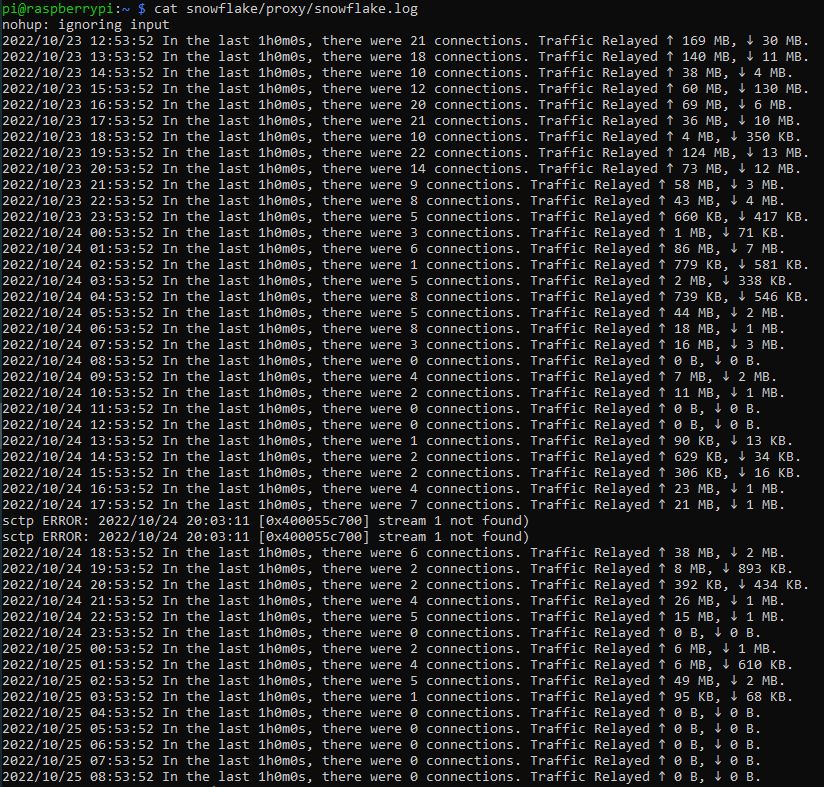
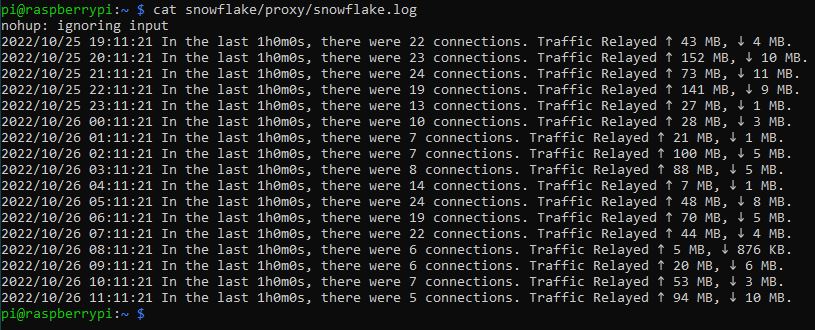
After installation everything runs very well for a few hours until I get a sctp error. From then on traffic seems to go down and eventually halt completely.
Killing the process and restarting again fixes the problem for a while until I run into an sctp error again.
The system is up to date and beside from snowflake there is only pivpn running on my RPi. I couldn’t find a fix online so I wonder what to do now?
I think sctp errors and low amount of connections are two separate problems.
Can you try instead of git clone https://git.torproject.org/pluggable-transports/snowflake.git
to use git clone -b issue/40220 https://gitlab.torproject.org/cohosh/snowflake.git
?
Other steps should be the same.
It may help with connections problem. sctp problem is not much important and can be ignored for now.
You can ignore the “sctp errors” your Snowflake works fine.
As I understood from my thread Sctp ERROR [0x378e7e0] stream 1 not found) and from other treads open on the forum for this sctp issue doesn’t affect the functionality of your Snowflake. If you see users/traffic hourly all is good