Specifications
- Linux Mint Cinnamon 22.2
- 15.0.3 (based on Mozilla Firefox 140.6.0esr)
Expected outcome
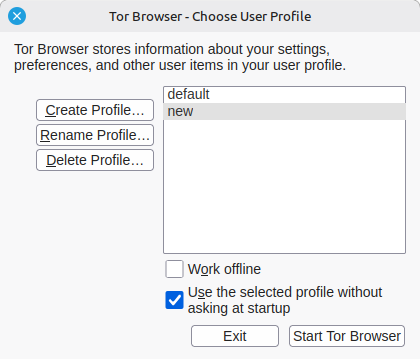
At the beginning, I wanted to configure Tor so when I click on the browser icon, it triggers a profile manager as Firefox can. It turned out being more difficult than anticipated. It’s been a while since I didn’t focus on this issue again so I don’t even remember if at some point some profile manager got triggered or if there isn’t by design at all. I suspect the latter anyway since the Tor icon doesn’t even suggest me ‘launch profiles manager’ option when right-clicking on it. I’ve purged Tor and reinstalled it again from the official website.
Nevertheless, I remember (and this still occurs) creating a new profile in about:profiles typed in the search bar. I give it a name and a folder is created in the files, there: /home/user/Softwares/tor-browser/Browser/TorBrowser/Data/Browser/profile.new (profile.new or random name Tor gives to the files folder and the cache folder, it doesn’t change. I even tried to modify the profiles.ini file so it looks for a new profile location but the bug still occurs. A new profile should be created.
The bug
After launching Tor, I type about:profiles in the search bar so I can create a new profile. After giving it a name, and clicking on “Finnish” on the prompted window, Tor quits. Relaunching it doesn’t prompt any error warning. The folders of the new profile are created and at their correct location but there is no other profile than the default one appearing in the profiles menu. Emptying any cache doesn’t solve the issue.
Unfortunately, I don’t remember the previous version it was running on I was using that worked with profiles.
I can get some logs when launching it with my terminal and reproducing the bug. Note that the logs will only appear if I launch tor via a firefox script found here /home/pine/Logiciels/tor-browser/Browser/firefox The /start-tor-browser script launched in the terminal doesn’t provide any log.
The logs when launching:
~/home/user/Softwares/tor-browser/Browser/firefox                     [12:37:40]
[16986, Main Thread] WARNING: Theme parsing error: gtk.css:6664:15: Junk at end of value for padding: 'glib warning', file /var/tmp/build/firefox-d77f5c8bed9d/toolkit/xre/nsSigHandlers.cpp:201

(Tor Browser:16986): Gtk-WARNING **: 12:39:37.906: Theme parsing error: gtk.css:6664:15: Junk at end of value for padding
[Parent 16986, Main Thread] WARNING: Theme parsing error: gtk.css:6664:15: Junk at end of value for padding: 'glib warning', file /var/tmp/build/firefox-d77f5c8bed9d/toolkit/xre/nsSigHandlers.cpp:201

(Tor Browser:16986): Gtk-WARNING **: 12:39:37.990: Theme parsing error: gtk.css:6664:15: Junk at end of value for padding
[Parent 16986, Main Thread] WARNING: Theme parsing error: gtk.css:6664:15: Junk at end of value for padding: 'glib warning', file /var/tmp/build/firefox-d77f5c8bed9d/toolkit/xre/nsSigHandlers.cpp:201

(Tor Browser:16986): Gtk-WARNING **: 12:39:38.016: Theme parsing error: gtk.css:6664:15: Junk at end of value for padding
Despite the ‘errors’ it launches normally. The terminal logs when the bug produces:
Exiting due to channel error.Exiting due to channel error.Exiting due to channel error.Exiting due to channel error.Exiting due to channel error.Exiting due to channel error.fish: Job 1, ‘/home/user/Softwares/tor-browse…’ terminated by signal SIGSEGV (Address boundary error)
I don’t really now what ‘Address boundary error’ means.
Browsing itself works as expected. I’ve reported this bug in the Linux Mint forum but they couldn’t figure this out. There are more informations about my system there if you consider it important among some further discussion: https://forums.linuxmint.com/viewtopic.php?t=460467